QR Codes for Product Transparency: The Complete Guide to Smart Packaging
QR Codes for Product Transparency: The Complete Guide to Smart Packaging
In an era where consumers demand complete transparency about the products they purchase, a simple square pattern printed on packaging has become the bridge between physical products and digital trust. QR codes are transforming how brands communicate with customers, and with new EU regulations making them mandatory for Digital Product Passports, understanding how to implement them effectively is no longer optional—it's essential.
This comprehensive guide will show you everything you need to know about using QR codes for product transparency, from technical fundamentals to practical implementation strategies that build consumer trust and ensure regulatory compliance.
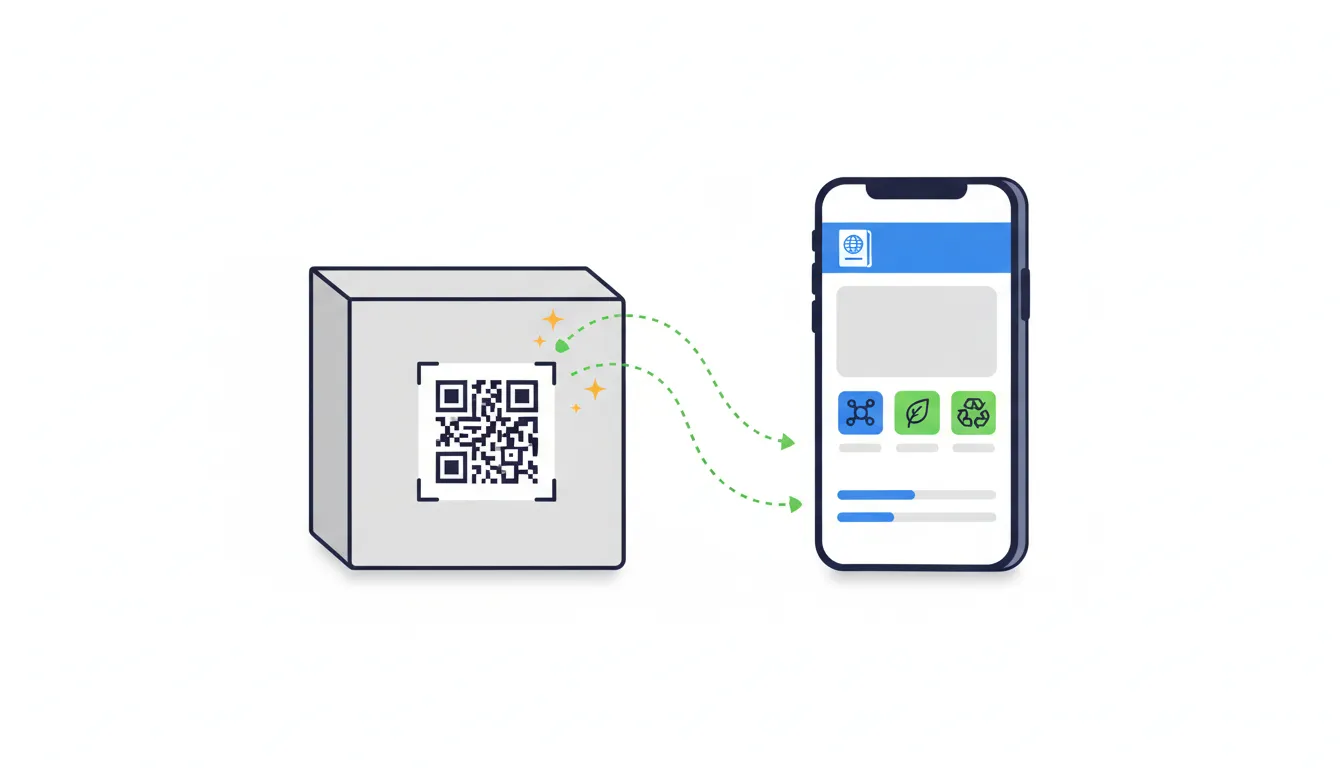
The Evolution of Product Packaging: From Static to Smart
The Traditional Packaging Era
For decades, product packaging served a simple purpose: protect the product, display branding, and provide legally required information through printed text. This static approach meant that once packaging was printed, the information was frozen in time. Any updates, recalls, or additional details required entirely new packaging runs or separate communication channels.
The Digital Transformation
The smartphone revolution changed everything. By 2024, over 6.8 billion people worldwide own smartphones, creating an unprecedented opportunity for brands to extend their packaging into the digital realm. This shift has given birth to "smart packaging"—packaging that serves as a portal to dynamic, interactive digital experiences.
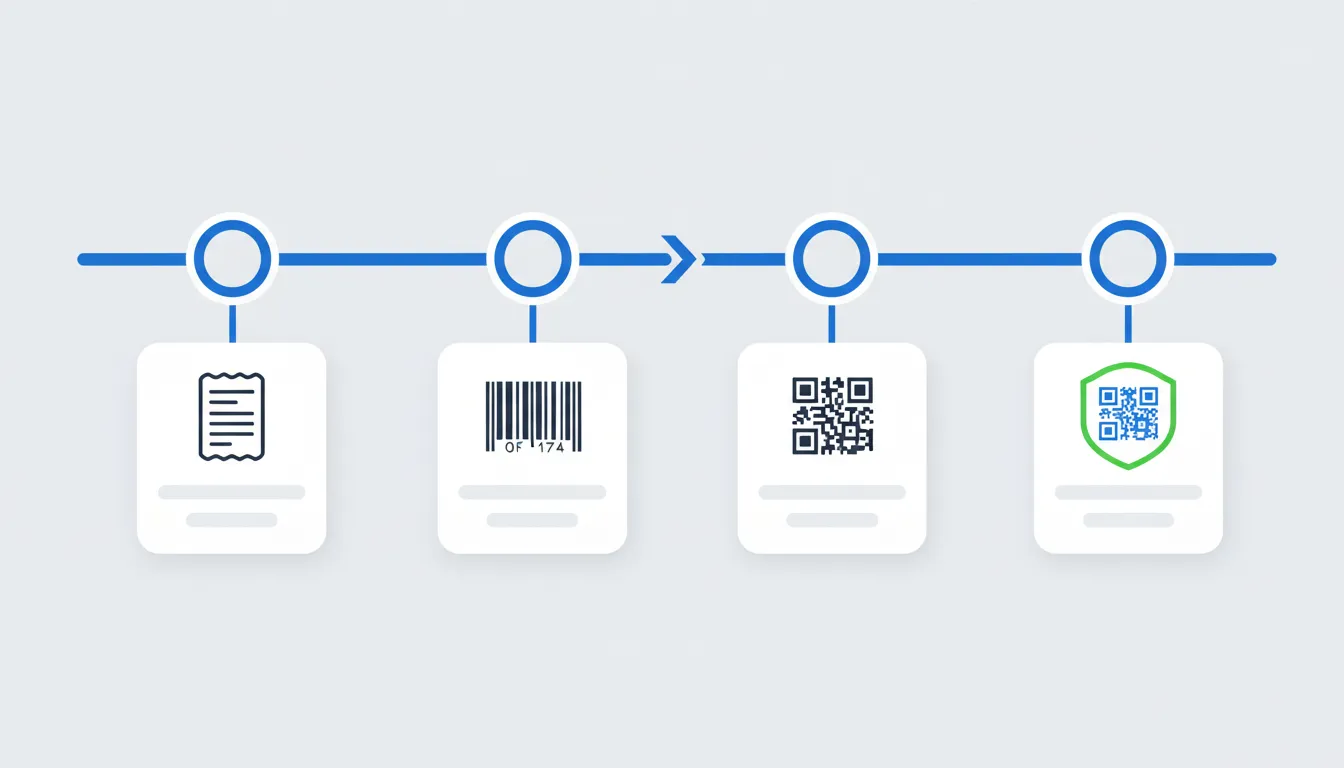
Why QR Codes Won the Smart Packaging Race
While NFC tags, Bluetooth beacons, and augmented reality markers all competed for attention, QR codes emerged as the clear winner for several reasons:
- Universal compatibility: Every smartphone camera can scan QR codes without additional apps
- Cost-effectiveness: QR codes can be printed on any packaging at virtually no additional cost
- Reliability: Unlike electronic alternatives, printed QR codes never run out of battery
- Regulatory acceptance: The EU explicitly mandates QR codes as the primary data carrier for Digital Product Passports
How QR Codes Work: The Technical Foundation
Understanding the technology behind QR codes helps you implement them more effectively on your products.
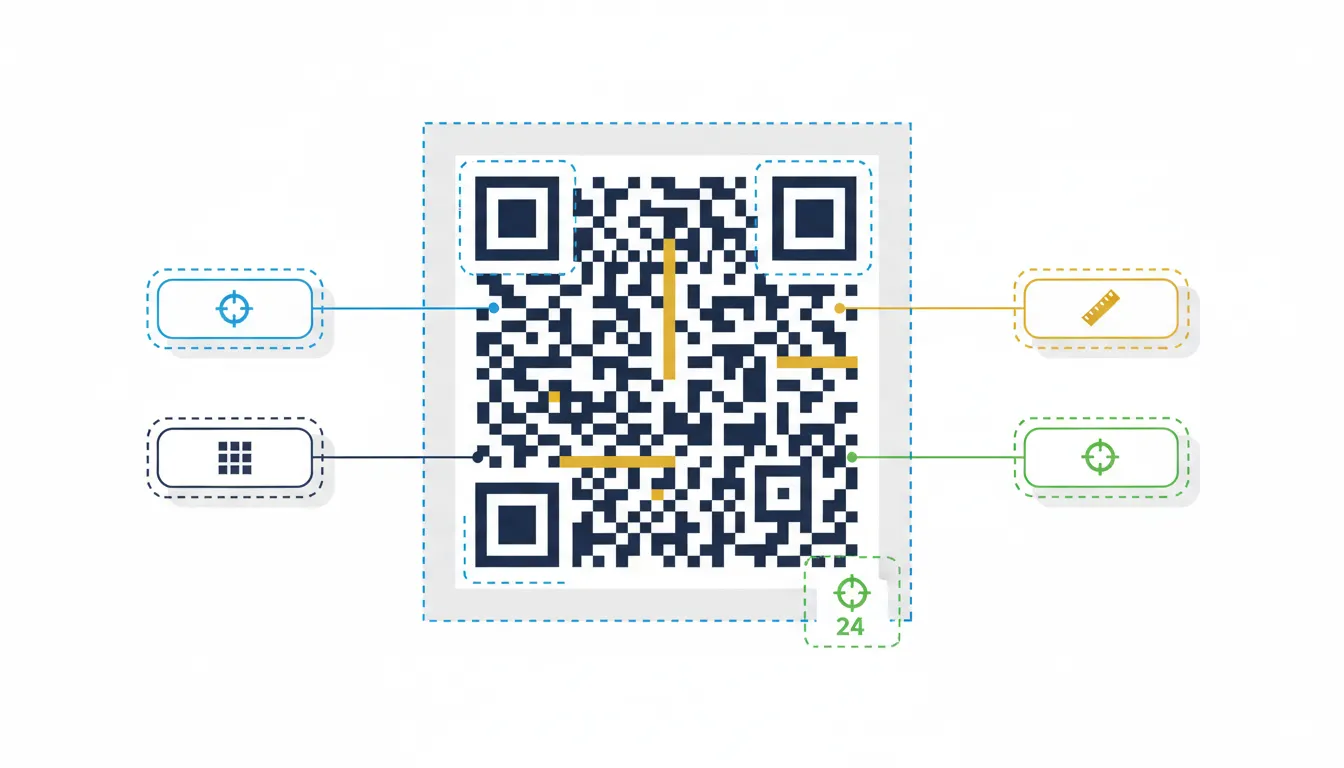
The Anatomy of a QR Code
A QR code (Quick Response code) is a two-dimensional matrix barcode that stores information in both horizontal and vertical dimensions. Here's what makes up a QR code:
Position Markers: The three large squares in the corners help scanners quickly identify and orient the code, enabling fast scanning from any angle.
Alignment Patterns: Smaller squares throughout the code ensure accurate reading even if the code is slightly distorted or printed on curved surfaces.
Timing Patterns: Alternating black and white modules help determine the code's size and coordinate system.
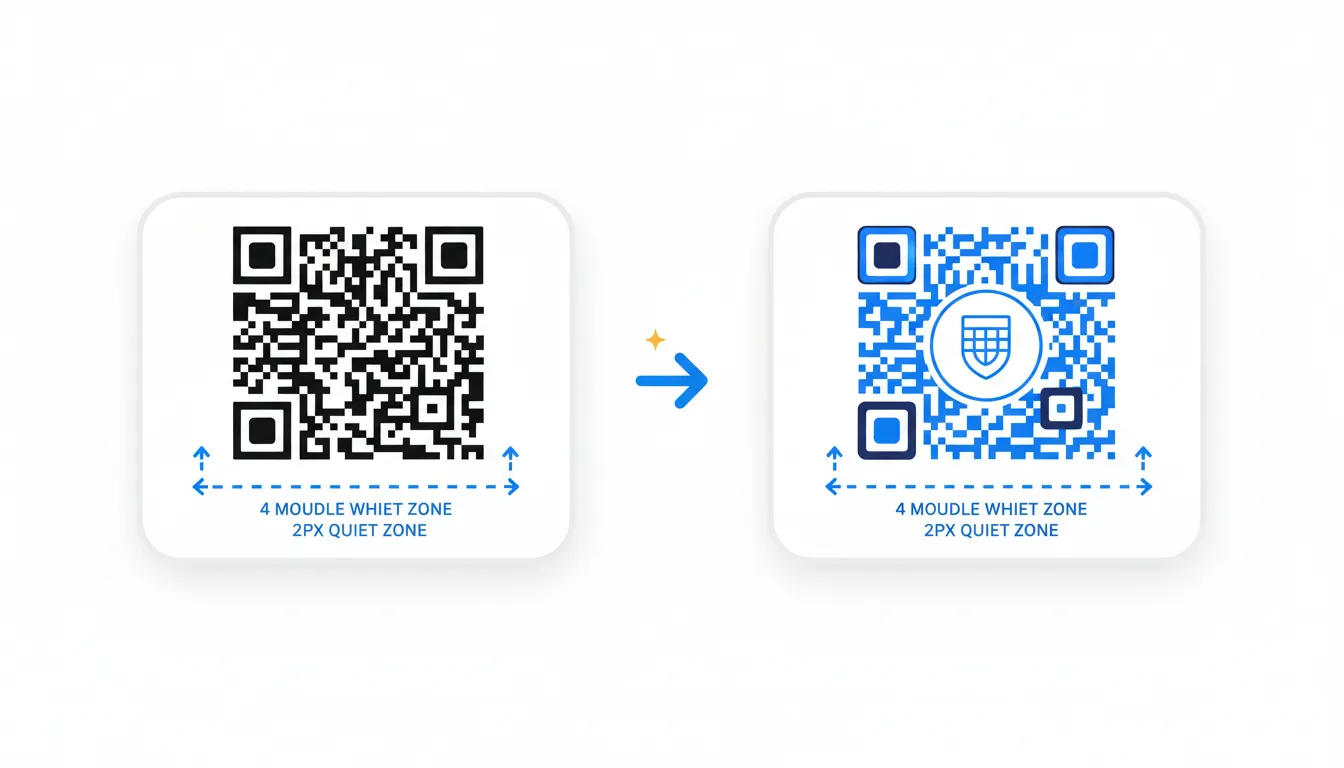
Quiet Zone: The white border around the code (minimum 4 modules wide) that provides visual separation and improves scan reliability.
Data Modules: The actual encoded information, stored in the black and white squares throughout the code.
Error Correction: Built-in Resilience
QR codes include sophisticated error correction capabilities that allow them to remain scannable even when partially damaged or obscured. There are four error correction levels:
- Level L (Low): 7% damage recovery - suitable for controlled environments
- Level M (Medium): 15% damage recovery - good for most applications
- Level Q (Quartile): 25% damage recovery - recommended for product packaging
- Level H (High): 30% damage recovery - necessary for outdoor or harsh environments
For product packaging, Level Q or H is recommended to account for wear, tear, handling, and potential printing imperfections.
Encoding Capacity
QR codes can store significantly more information than traditional barcodes:
- Up to 7,089 numeric characters
- Up to 4,296 alphanumeric characters
- Up to 2,953 bytes of binary data
However, for Digital Product Passports, QR codes typically store a URL (usually 50-200 characters) that links to a web-based DPP, rather than embedding all product data directly in the code.
EU Regulations: QR Codes as Mandatory Data Carriers
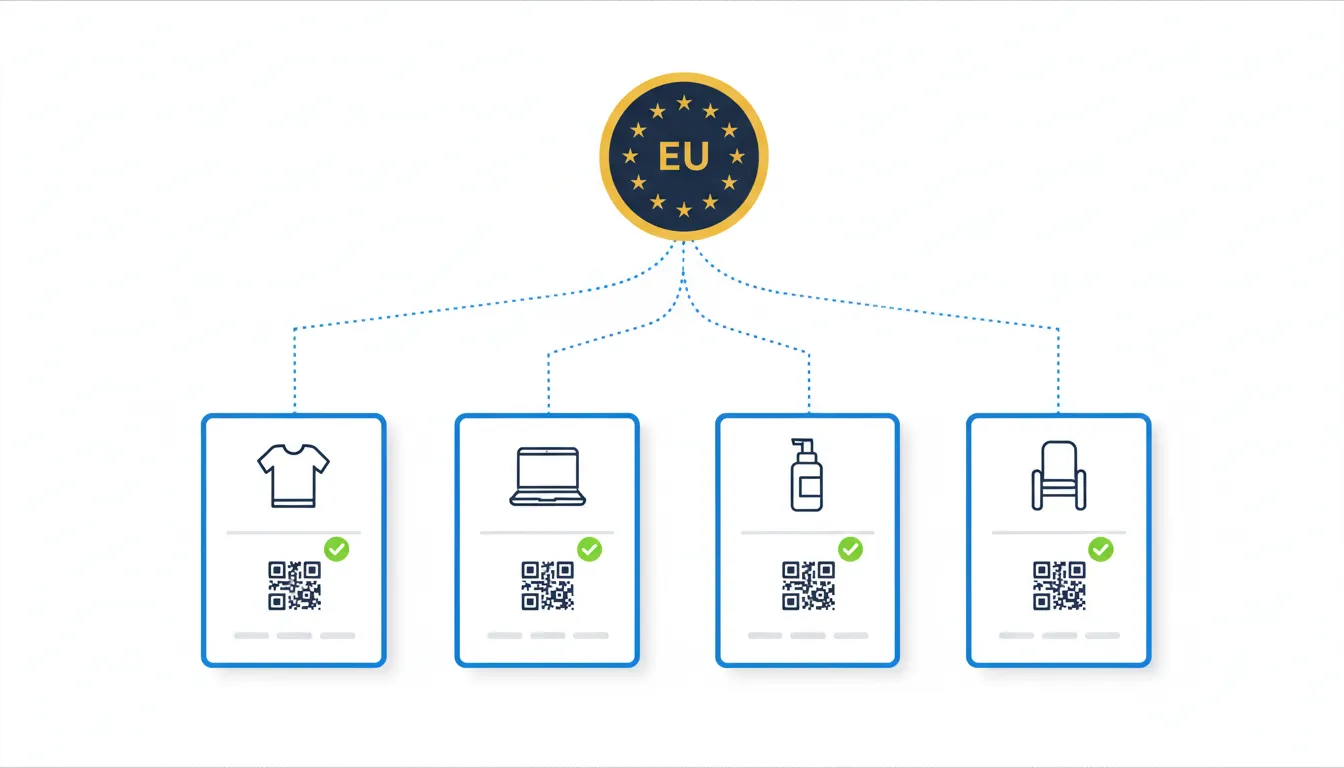
The European Union's Ecodesign for Sustainable Products Regulation (ESPR) has fundamentally changed the packaging landscape by mandating Digital Product Passports for numerous product categories.
The ESPR Mandate
Starting from 2026-2030 (phased by product category), products sold in the EU must include:
- A data carrier affixed to or included with the product
- A Digital Product Passport containing mandatory information
- A machine-readable link connecting the physical product to its digital passport
The regulation explicitly names QR codes as the primary acceptable data carrier format, making them the de facto standard for compliance.
What Products Are Affected?
The ESPR covers a wide range of product categories, with phased implementation:
- Batteries and electronics (2026-2027)
- Textiles and apparel (2027-2028)
- Furniture and home goods (2028-2029)
- Cosmetics and personal care (2029-2030)
- Food packaging and containers (ongoing implementation)
Even if your product category isn't immediately affected, implementing QR codes now positions you ahead of regulations and consumer expectations.
Compliance Requirements for QR Codes
To meet EU requirements, your QR codes must:
- Be permanently affixed to the product or packaging in a visible location
- Remain readable throughout the product's expected lifetime
- Link to a DPP that contains all mandatory information for your product category
- Be accessible without requiring specialized apps or accounts
- Provide information in the relevant EU languages for your markets
QR Code Placement Best Practices by Product Type
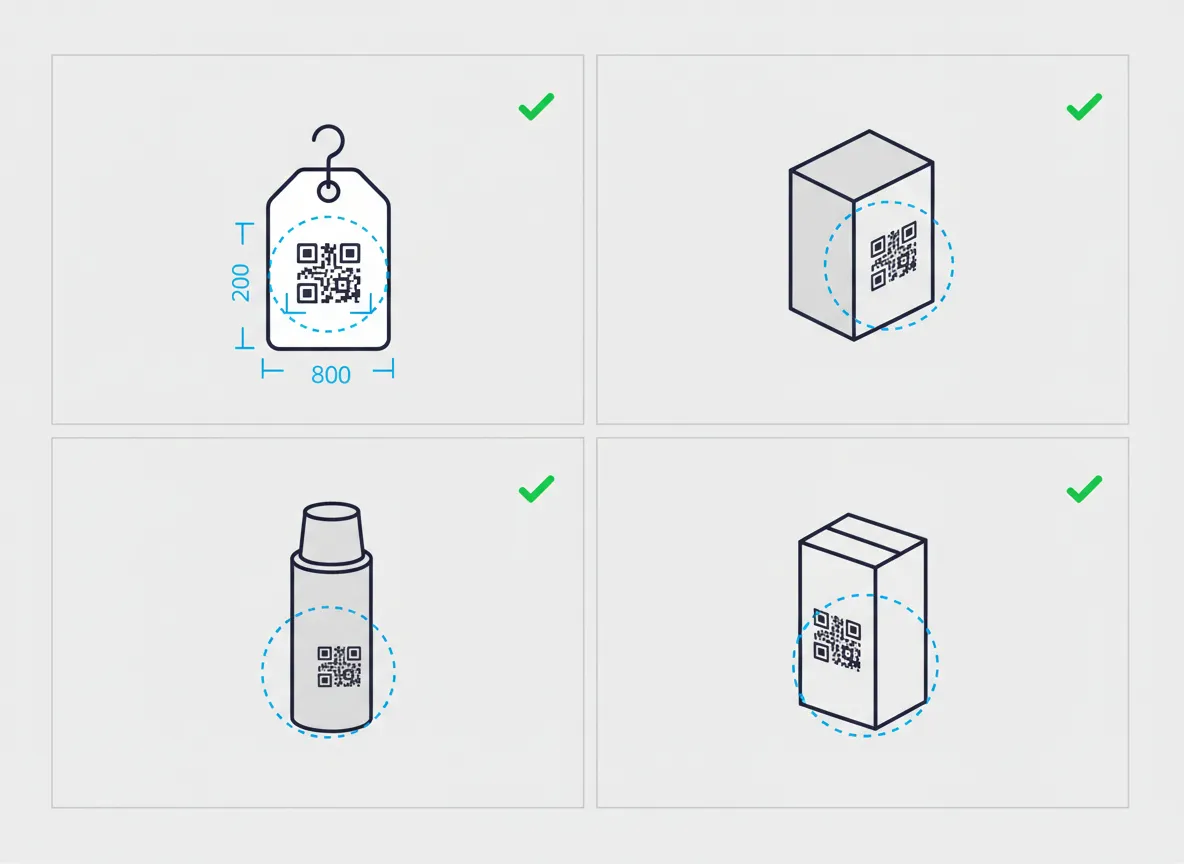
Where you place your QR code significantly impacts scan rates and user experience. Here's how to optimize placement for different product categories.
Apparel and Textiles
Hang Tags (Primary location):
- Place QR codes prominently on the front of hang tags
- Minimum size: 2cm x 2cm (0.8 x 0.8 inches)
- Position above the fold so customers don't need to flip the tag
- Include brief text: "Scan for product details" or "View Digital Passport"
Care Labels (Secondary location):
- Print QR codes on sewn-in care labels as a permanent option
- Ensure sufficient contrast between QR code and fabric background
- Use heat-transfer or woven labels for better durability
- Test scan-ability after multiple wash cycles
Pro Tip: For fashion items, use branded QR codes that match your aesthetic rather than plain black-and-white squares.
Electronics and Tech Products
Primary Packaging:
- Place QR codes on the outside of the box, near the product image
- Also include on the inside of the lid for post-purchase access
- Minimum size: 2.5cm x 2.5cm (1 x 1 inches) for box packaging
Product Surface:
- Add a small QR code to the actual device (if applicable)
- Consider engraving or permanent printing methods
- For products without space, use QR codes on warranty cards
Best Practice: Include QR codes both on disposable packaging and on permanent product documentation, giving customers access even after unboxing.
Cosmetics and Personal Care
Product Labels:
- Position QR codes on the back or side label, below ingredient lists
- Minimum size: 1.5cm x 1.5cm (0.6 x 0.6 inches) for small containers
- Ensure codes remain scannable on curved or cylindrical surfaces
- Use high-contrast colors (black on white is most reliable)
Secondary Packaging:
- Include larger QR codes (2.5cm+) on outer boxes and cartons
- Place at eye level on shelf-ready packaging
- Consider the retail environment—codes should be accessible on shelves
Important: For products with limited label space, prioritize QR codes over lengthy text descriptions, as the DPP can contain unlimited detail.
Food and Beverage
Front of Package:
- Position QR codes near the brand logo or product name
- Make them part of the design language rather than an afterthought
- Size: 2-3cm x 2-3cm depending on package dimensions
Back Panel:
- Alternative location near nutritional information
- Link text: "Scan for sourcing, allergen, and sustainability information"
- Ensure codes are not placed where labels might fold or crease
Regulatory Note: QR codes for food products must link to allergen information accessible without requiring personal data or app downloads.
QR Code Design Best Practices
Creating scannable, attractive QR codes requires attention to both technical and aesthetic details.
Size Requirements
The minimum QR code size depends on the scanning distance:
Formula: QR Code Size = Scanning Distance / 10
- Handheld scan (10-15cm): Minimum 1.5cm x 1.5cm
- Arm's length scan (30-40cm): Minimum 3cm x 3cm
- Shelf display (50-60cm): Minimum 5cm x 5cm
Best Practice: Always go larger than the minimum when space allows. A 2.5-3cm QR code works well for most product packaging.
Contrast and Color
High Contrast is Essential:
- Black on white provides the most reliable scanning
- Dark on light always outperforms light on dark
- Minimum contrast ratio: 70% difference between colors
Color QR Codes:
- Dark blue, dark green, or dark purple on white backgrounds work well
- Never use light colors for the QR code squares
- Avoid red backgrounds (poor contrast for some scanners)
- Test thoroughly with multiple devices before printing
Brand Integration:
- You can customize the "finder patterns" (corner squares) with your brand colors
- The data modules should remain high-contrast
- Add your logo to the center (maximum 20% of the code area)
The Quiet Zone (Critical)
The white border around your QR code isn't optional—it's essential for reliable scanning:
- Minimum quiet zone: 4 modules (4x the width of one square)
- Never print text, graphics, or other elements in this space
- When printing on colored backgrounds, include a white square buffer
- The quiet zone prevents the scanner from reading adjacent graphics as data
Testing Protocol
Before going to production, test your QR codes rigorously:
- Multiple devices: Test with iPhone, Android, and at least 5 different phone models
- Different angles: Scan from straight-on, 45-degree angles, and close/far distances
- Various lighting: Test in bright light, dim light, and artificial/natural lighting
- After printing: Always test the actual printed codes, not just digital proofs
- Stress testing: Wrinkle, slightly damage, and wet-test codes for durability
Tool Recommendation: Use QR code testing services that simulate different scanner capabilities and provide readability scores.
Branded QR Codes
Modern QR code generators allow customization while maintaining functionality:
- Color schemes: Use brand colors for the QR code (dark shade required)
- Logo integration: Place small logos in the center (leverages error correction)
- Custom shapes: Rounded corners or dots instead of squares
- Frame designs: Add branded frames with call-to-action text
Warning: Every customization reduces scan reliability. Always prioritize function over aesthetics and test extensively.
What Information Should Be Behind the QR Code?
The content behind your QR code should provide immediate value to consumers while meeting regulatory requirements.
Essential DPP Information
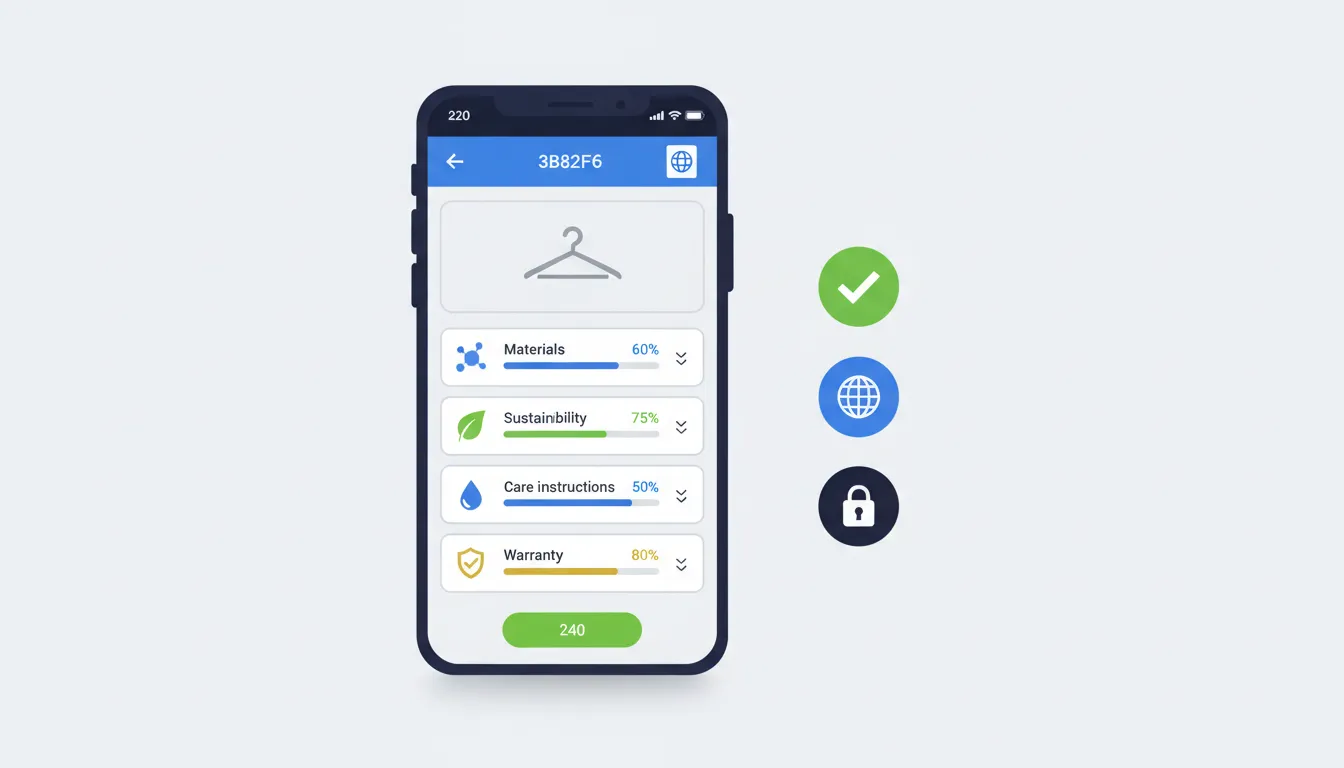
When scanning a product QR code, consumers should reach a mobile-optimized Digital Product Passport containing:
Product Identification:
- Product name and model number
- Brand and manufacturer information
- Unique product identifier (SKU, GTIN, serial number)
- Product images and descriptions
Compliance Information:
- Materials composition and sourcing
- Manufacturing location and date
- Certifications and compliance marks
- Safety information and warnings
Sustainability Data:
- Carbon footprint and environmental impact
- Recyclability and end-of-life instructions
- Repair and spare parts information
- Warranty and expected product lifespan
Consumer Value:
- Usage instructions and care guides
- Video tutorials or assembly instructions
- Customer service contact information
- Related products and accessories
The User Experience Flow
The scan-to-information journey should be seamless:
- Instant response: Page loads within 2 seconds
- No barriers: No login, app download, or account required
- Mobile-optimized: Responsive design for all screen sizes
- Language options: Automatic or selectable language based on region
- Clear navigation: Easy-to-browse sections with visual hierarchy
- Actionable next steps: Contact support, register product, view instructions
Dynamic Content Advantages
Unlike static printed information, content behind QR codes can be:
- Updated in real-time: Reflect recalls, updates, or new information
- Personalized: Show region-specific details based on scanning location
- Interactive: Include videos, animations, and step-by-step guides
- Expanded: Unlimited space for detailed specifications
- Tracked: Understand when, where, and how often codes are scanned
Consumer Behavior: QR Code Adoption Statistics
Understanding consumer behavior helps you maximize the value of QR codes on your packaging.
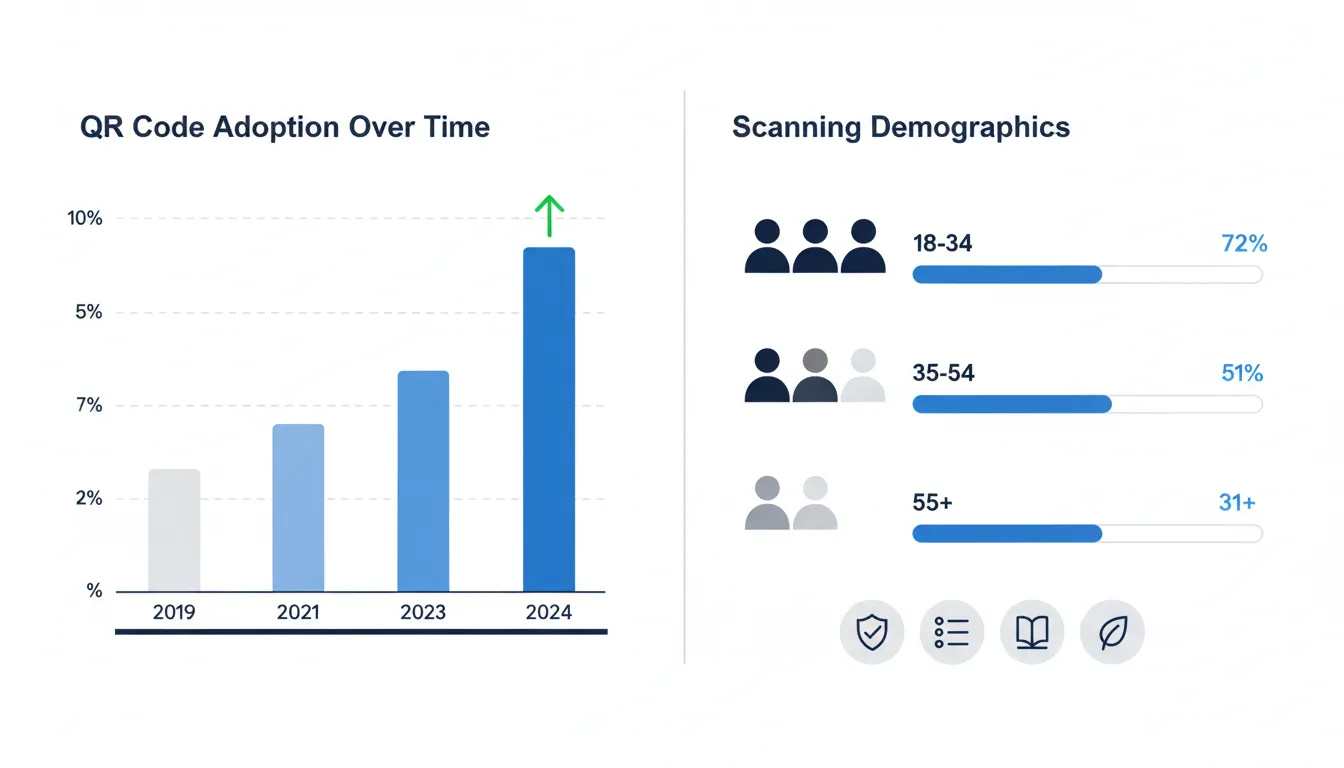
Post-COVID Surge in Adoption
The COVID-19 pandemic dramatically accelerated QR code adoption:
- 2019: 11% of US smartphone users had scanned a QR code
- 2023: 89% of smartphone users have scanned a QR code at least once
- 2024: 48% scan QR codes regularly (weekly or more frequently)
This represents an 8x increase in adoption within five years.
Consumer Motivations for Scanning
Research shows consumers scan product QR codes primarily for:
- Product authenticity verification (63% of scanners)
- Detailed ingredient or material information (58%)
- Usage instructions and how-to guides (52%)
- Sustainability and ethical sourcing information (47%)
- Warranty registration and customer support (41%)
- Reviews and ratings from other customers (38%)
Demographics and Scanning Behavior
Age Groups:
- 18-34 years: 72% scan product QR codes regularly
- 35-54 years: 51% scan product QR codes regularly
- 55+ years: 31% scan product QR codes regularly
Shopping Context:
- 67% scan QR codes while shopping in-store to compare products
- 54% scan codes after purchase to access instructions or support
- 43% scan codes to verify sustainability claims before purchasing
Purchase Impact:
- 71% of consumers say detailed product information influences purchase decisions
- 58% are more likely to buy from brands offering transparent product information
- 44% would pay a premium for products with comprehensive digital transparency
Trust and Transparency
Providing QR code access to product information significantly impacts brand perception:
- Brands with transparent product information see 32% higher trust scores
- Products with accessible DPPs have 26% lower return rates
- Companies offering QR code transparency experience 18% higher customer loyalty
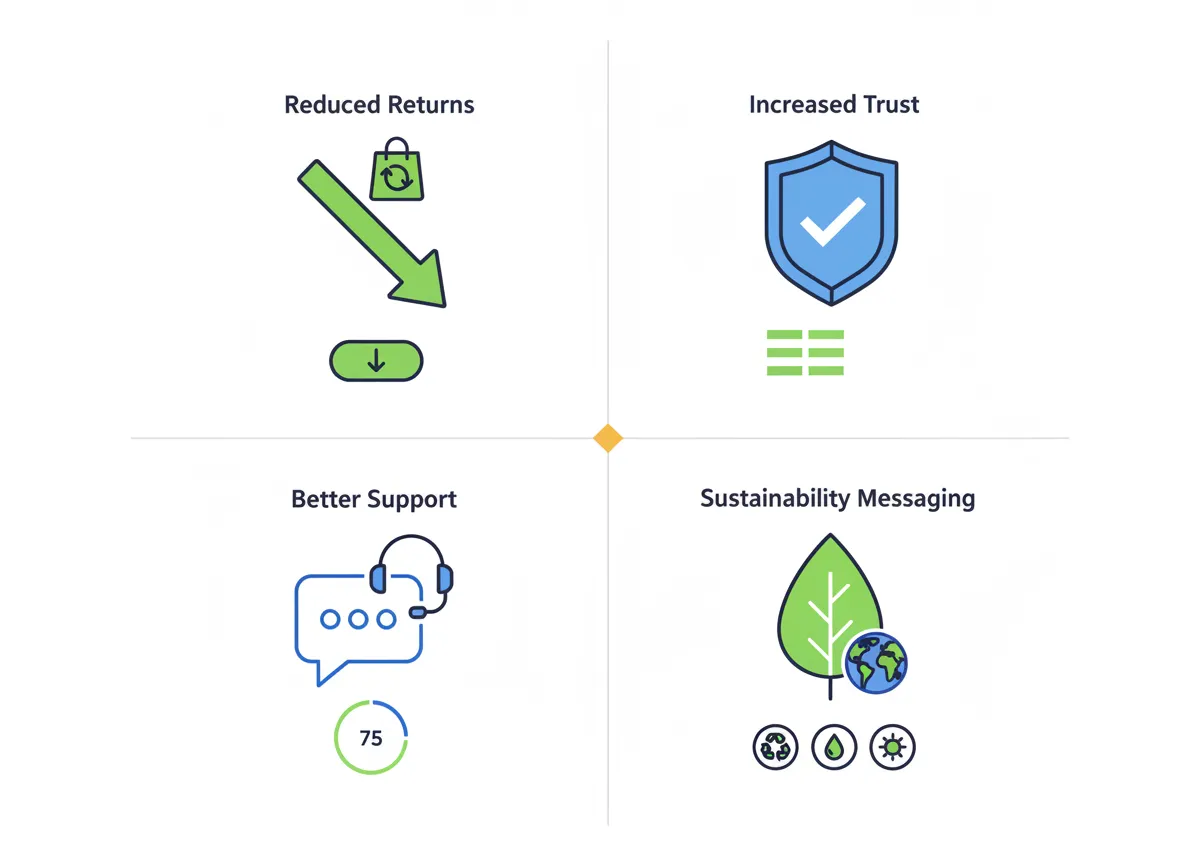
Real-World Benefits: Why QR Codes Matter for Your Business
Beyond regulatory compliance, QR codes deliver tangible business value.
Reduced Product Returns
Detailed product information accessible via QR codes helps customers:
- Verify product specifications before purchase
- Understand proper usage to avoid misuse
- Access troubleshooting guides before initiating returns
- Confirm authenticity and avoid counterfeit concerns
Result: Brands report 15-26% reduction in returns after implementing comprehensive QR code product information.
Enhanced Customer Trust
Transparency builds trust. When customers can access:
- Complete ingredient or material lists
- Manufacturing location and conditions
- Third-party certifications and test results
- Sustainability metrics and carbon footprint
They feel more confident in their purchase decisions. This transparency is especially valuable for premium products where trust justifies higher prices.
Improved Customer Support
QR codes provide instant access to:
- Video installation or assembly instructions
- Troubleshooting guides and FAQs
- Direct links to customer support chat
- Product registration for warranty activation
Impact: Customer support teams report 30-40% reduction in basic "how do I use this?" inquiries after implementing QR code instruction access.
Sustainability Messaging
Modern consumers care deeply about environmental impact. QR codes allow you to:
- Share detailed sustainability stories too complex for packaging
- Provide carbon footprint calculations and offsetting options
- Explain recycling and end-of-life disposal instructions
- Showcase certifications and ethical sourcing practices
Consumer Response: 83% of Millennials and Gen Z consumers expect brands to provide easily accessible sustainability information.
Marketing and Engagement Opportunities
Beyond compliance and support, QR codes enable:
- Product registration for loyalty programs
- User-generated content collection (reviews, photos)
- Cross-selling and upselling related products
- Direct engagement with brand stories and values
Dynamic vs. Static QR Codes: Why Dynamic Wins for DPPs
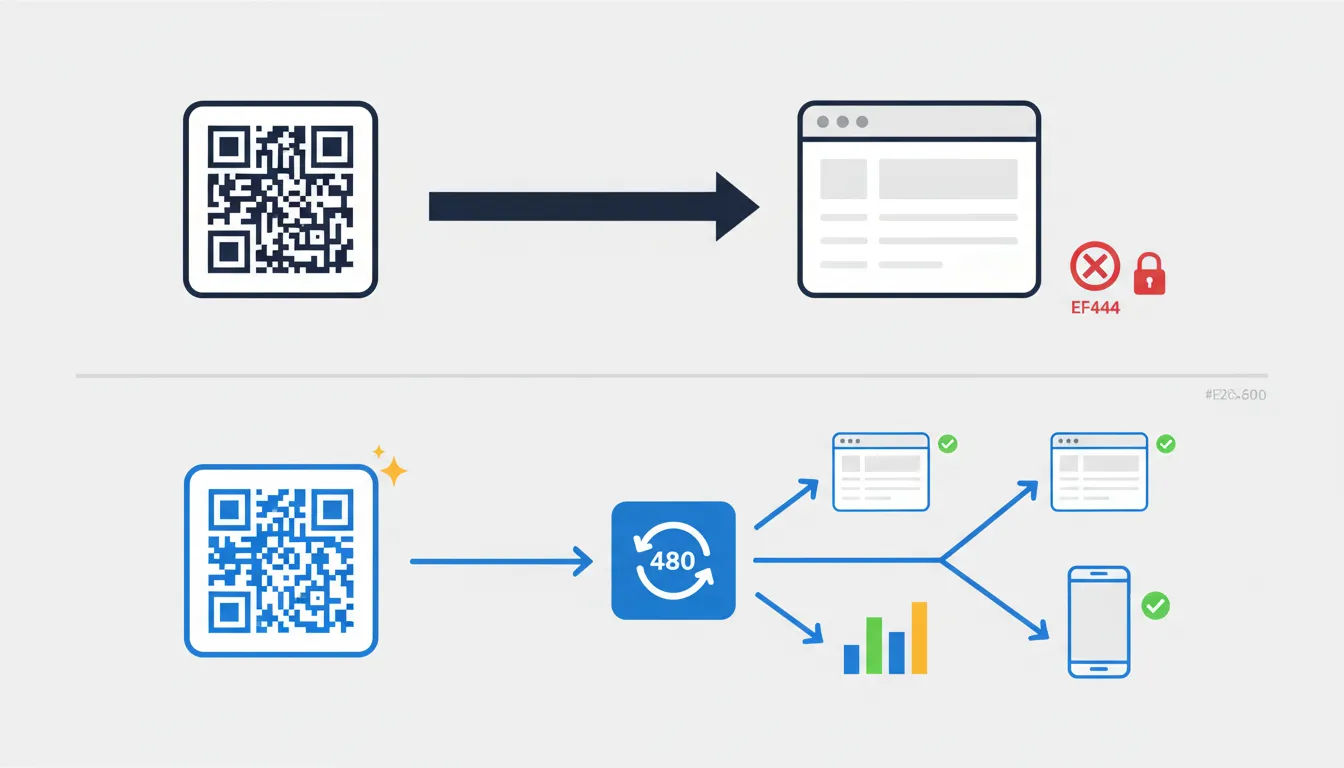
Not all QR codes are created equal. Understanding the difference between static and dynamic QR codes is crucial for Digital Product Passport implementation.
Static QR Codes
How They Work: Static QR codes embed the final destination URL directly in the QR code. When scanned, the device goes directly to that specific URL.
Advantages:
- Simpler to generate
- No ongoing service required
- Do not depend on a separate redirect service (the destination itself must still remain available)
Disadvantages:
- Cannot update the destination after printing
- No scanning analytics or data collection
- Cannot redirect based on location, device, or time
- Requires reprinting if URL changes
Use Case: Static QR codes work for permanent, unchanging content like contact information or fixed documentation.
Dynamic QR Codes
How They Work: Dynamic QR codes embed a short redirect URL that points to a service managing the final destination. When scanned, the code goes to this intermediary service, which then redirects to the actual content.
Advantages:
- Update destination anytime: Change the linked content without reprinting
- Track analytics: See scan counts, locations, devices, and timing
- A/B testing: Test different content versions with the same code
- Location-based routing: Show different content based on scanner location
- Time-based content: Display seasonal or promotional information
- Device optimization: Redirect to mobile/desktop-optimized pages
- Backup options: Redirect to alternative pages if primary destination is down
Disadvantages:
- Requires ongoing service subscription
- Depends on the redirect service remaining operational
- Adds minimal latency (typically imperceptible)
Why Dynamic QR Codes are Essential for DPPs
Digital Product Passports need dynamic QR codes because:
- Regulatory Updates: As regulations evolve, you need to update information without replacing physical products
- Product Recalls: Instantly display recall information if safety issues arise
- Enhanced Information: Add new content like video tutorials or updated care instructions
- Language Support: Redirect to localized versions based on scanning location
- Analytics Compliance: Demonstrate scanning rates and consumer engagement to regulators
- Sustainability Updates: Refresh carbon footprint calculations as manufacturing improves
Real-World Example: A clothing brand discovers a more sustainable packaging option mid-production. With dynamic QR codes, they can instantly update all DPPs to reflect this improvement without reprinting hang tags.
The PassportPro Advantage
PassportPro generates dynamic QR codes automatically for every product, providing:
- Unlimited updates to your Digital Product Passports
- Real-time scanning analytics dashboard
- Automatic language detection and localization
- Built-in compliance with ESPR requirements
- Branded QR code customization options
- 99.9% uptime guarantee for redirect services
How PassportPro Generates Compliant QR Codes
PassportPro takes the complexity out of QR code implementation for Digital Product Passports.
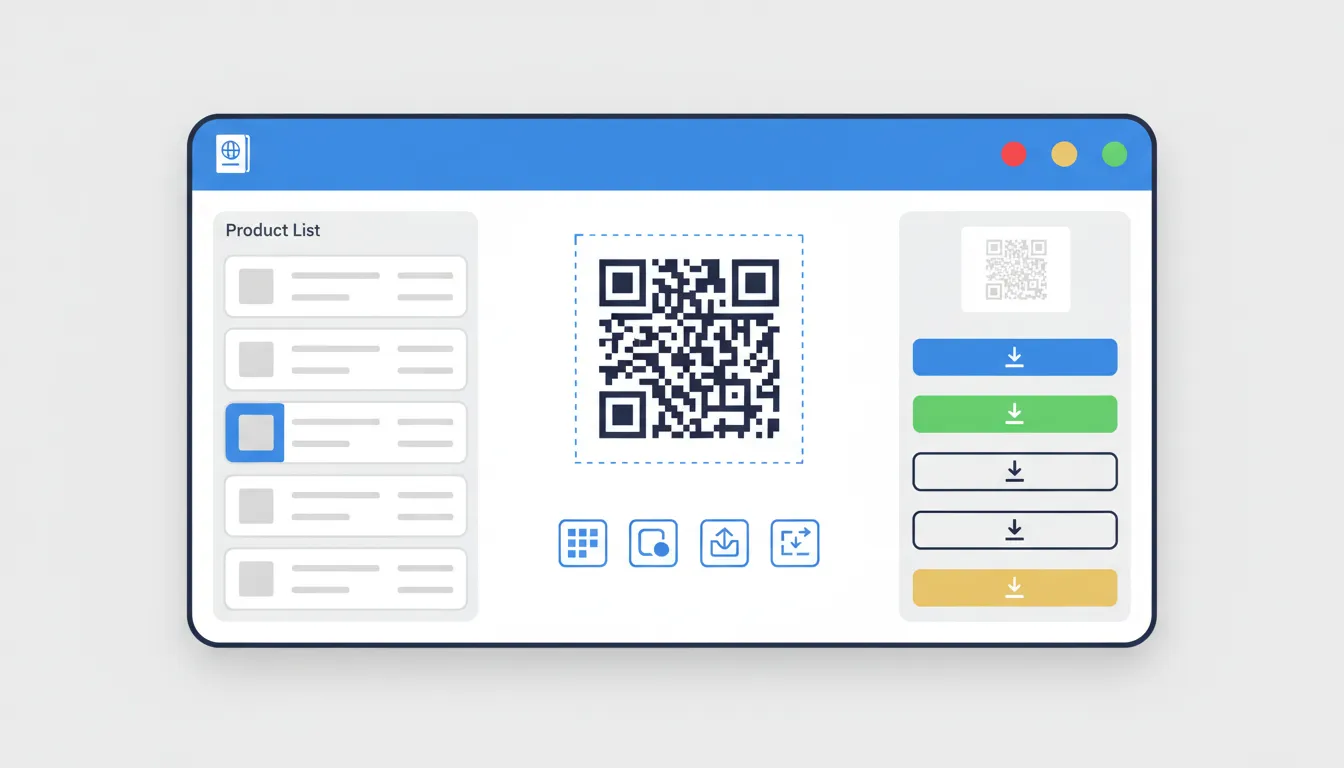
Automatic QR Code Generation
For every product you add to PassportPro:
- Create your DPP: Enter product information through our intuitive interface
- Automatic code generation: PassportPro generates a dynamic QR code linked to your DPP
- Compliance check: Our system verifies all mandatory ESPR fields are completed
- Download options: Get print-ready QR codes in multiple formats (PNG, SVG, PDF, EPS)
Multiple Format Options
PassportPro provides QR codes optimized for different printing needs:
High-Resolution Formats:
- Vector (SVG, EPS) for professional printing at any size
- High-DPI PNG (300-600 DPI) for digital printing
- PDF with bleed marks and safe zones for commercial printers
Size Specifications:
- Pre-configured sizes for common packaging types
- Custom dimensions for specialized applications
- Automatic scaling while maintaining scan reliability
Brand Customization:
- Upload your logo for center placement
- Choose brand colors (with contrast validation)
- Select from modern QR code styles (rounded, dots, frames)
- Preview how customizations affect scan reliability
Built-In Best Practices
PassportPro automatically applies professional QR code standards:
- Optimal error correction level (Level Q for standard packaging, Level H for durable goods)
- Required quiet zone (minimum 4-module white border included in all exports)
- Contrast validation (warns if color choices may reduce scan reliability)
- Size recommendations based on intended scanning distance
- Testing tools to verify scan-ability before printing
Professional DPP Display
When consumers scan your PassportPro QR codes, they see:
- Branded interface: Your logo, colors, and brand identity
- Mobile-optimized design: Perfect display on any device
- Fast loading: Average load time under 1 second
- Multi-language support: Automatic language detection or manual selection
- Accessibility features: Screen reader support, high contrast options
- EU compliance: All mandatory fields prominently displayed
Analytics and Insights
Track how consumers interact with your QR codes:
- Scan volume: Total scans over time with trend analysis
- Geographic data: Where your products are being scanned
- Device information: iOS vs. Android, specific models
- Timing patterns: When consumers typically scan codes
- Engagement metrics: Time spent on DPP, sections viewed
- Consumer insights: What information customers find most valuable
Bulk Operations
For merchants with large catalogs:
- CSV import: Upload hundreds or thousands of products at once
- Shopify integration: Automatic sync with your product catalog
- Batch QR generation: Create codes for entire product lines simultaneously
- Template system: Apply consistent settings across product categories
- API access: Integrate QR generation into your existing workflows
Common Mistakes to Avoid
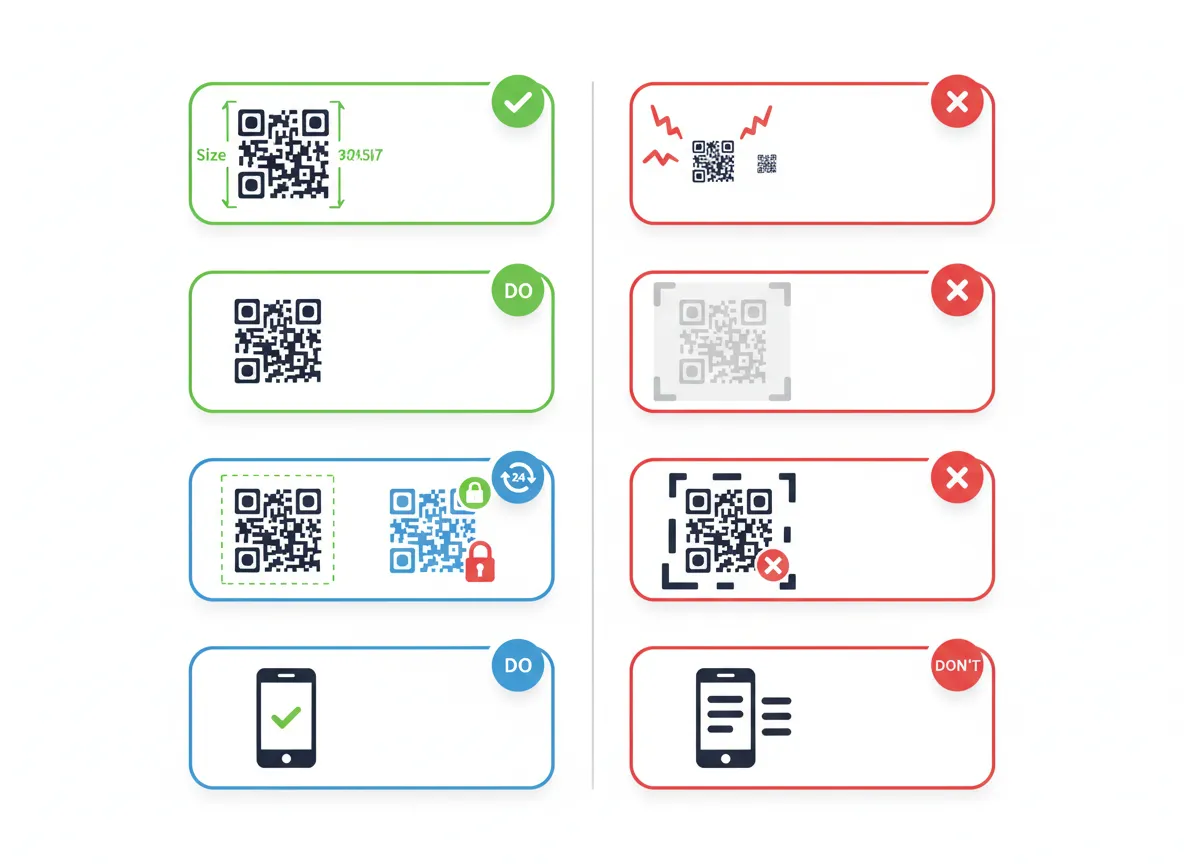
Learn from others' errors to implement QR codes successfully the first time.
Mistake 1: Making QR Codes Too Small
The Error: Printing QR codes smaller than 1.5cm x 1.5cm to save space.
The Consequence: Customers struggle to scan codes, leading to frustration and abandoned engagement.
The Fix: Always use minimum 2cm x 2cm for handheld scanning, larger for shelf displays. When space is tight, reduce other elements rather than the QR code.
Mistake 2: Poor Contrast Choices
The Error: Using light gray QR codes on white backgrounds, or colorful codes without sufficient darkness.
The Consequence: Scanners fail to distinguish the code pattern, resulting in scan failures.
The Fix: Always use dark colors (black, dark blue, dark brown) on light backgrounds. Test with multiple devices before printing. Avoid pastels and light colors entirely.
Mistake 3: Ignoring the Quiet Zone
The Error: Printing graphics, text, or design elements right up to the QR code edge.
The Consequence: Scanners cannot properly identify where the code begins and ends.
The Fix: Always include at least 4 modules of white space around the entire QR code. Think of it as a mandatory buffer, not optional spacing.
Mistake 4: Using Static QR Codes
The Error: Generating static QR codes to avoid ongoing service costs.
The Consequence: No ability to update information, track scanning, or respond to recalls or regulatory changes.
The Fix: Always use dynamic QR codes for product packaging. The minimal ongoing cost is far less than reprinting packaging if information needs updating.
Mistake 5: Linking to Non-Mobile-Optimized Pages
The Error: QR codes linking to desktop websites or PDF files not optimized for mobile viewing.
The Consequence: Poor user experience with difficult navigation, tiny text, and horizontal scrolling.
The Fix: Ensure all QR code destinations are mobile-first responsive designs that load quickly and display perfectly on small screens.
Mistake 6: Requiring App Downloads or Logins
The Error: QR codes that demand users download an app or create an account to view information.
The Consequence: Over 80% of users abandon the process when faced with barriers to access.
The Fix: QR codes should link directly to web-based content accessible in any browser without authentication or special software.
Mistake 7: Testing Only on One Device Type
The Error: Testing QR codes only on iPhone or only on Android before production.
The Consequence: Codes that work perfectly on one platform may have issues on others due to different camera capabilities.
The Fix: Test on minimum 5 different devices across both iOS and Android, including older models with less capable cameras.
Mistake 8: No Clear Call-to-Action
The Error: Printing QR codes without any text explanation of what customers will find.
The Consequence: Consumers don't know what value they'll receive from scanning, reducing scan rates.
The Fix: Always include brief text near the QR code: "Scan for product details," "View Digital Passport," or "See sustainability information."
Mistake 9: Placing Codes Where They'll Be Damaged
The Error: Printing QR codes on surfaces that will be folded, creased, or exposed to moisture.
The Consequence: Physical damage makes codes unscannable, frustrating customers.
The Fix: Consider product lifecycle and handling. Place codes on protected surfaces, use waterproof printing for products exposed to moisture, and use higher error correction levels for durable goods.
Mistake 10: Not Tracking Performance
The Error: Generating QR codes without any analytics or tracking capability.
The Consequence: No insight into whether customers are scanning codes or what information they find valuable.
The Fix: Use dynamic QR codes with built-in analytics. Review scanning data regularly to optimize placement, content, and consumer experience.
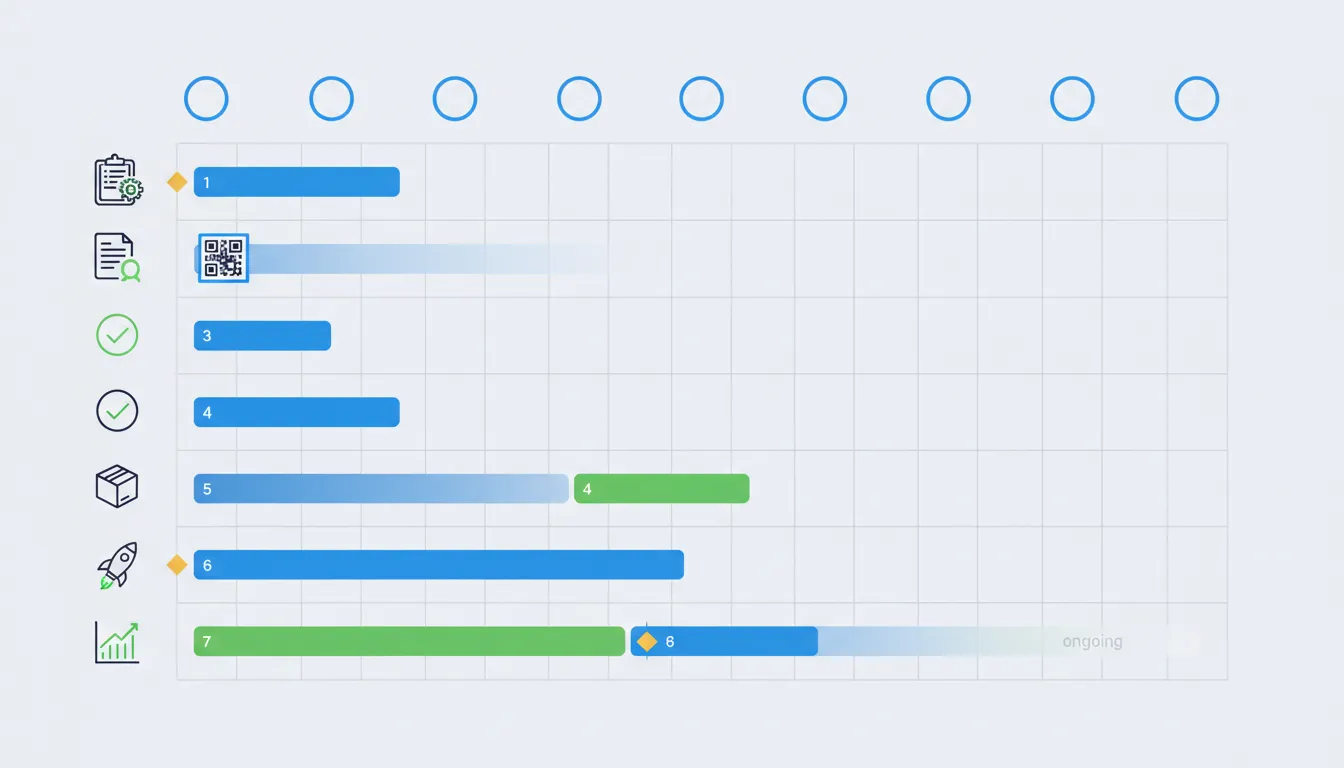
Implementation Checklist: Launching QR Codes on Your Products
Use this comprehensive checklist to ensure successful QR code implementation.
Phase 1: Planning (Week 1)
- Identify which product categories need QR codes
- Review EU compliance requirements for your product types
- Decide on QR code placement for each product category
- Determine information to include in Digital Product Passports
- Choose between standard and branded QR code designs
- Set up PassportPro account and import product catalog
Phase 2: Content Creation (Week 2-3)
- Create comprehensive DPPs for all products
- Write clear, consumer-friendly product descriptions
- Gather sustainability data and certifications
- Collect high-quality product images
- Translate content for all relevant EU languages
- Prepare usage instructions and care guides
Phase 3: QR Code Generation (Week 3)
- Generate dynamic QR codes for all products via PassportPro
- Customize QR codes with brand colors and logo (if desired)
- Validate contrast and scan-ability for customized codes
- Export QR codes in appropriate formats for your printer
- Create different sizes for various packaging types
- Document QR code specifications for packaging designers
Phase 4: Testing (Week 4)
- Print test samples of all QR code variations
- Scan with minimum 5 different devices (iOS and Android)
- Test from various distances and angles
- Verify DPP loads quickly on mobile devices
- Check that all information displays correctly
- Test in different lighting conditions
- Verify language selection works properly
- Confirm all links and contact information function correctly
Phase 5: Packaging Integration (Week 5-6)
- Provide QR code files to packaging designer
- Review packaging proofs to ensure proper placement
- Verify quiet zone is maintained in packaging design
- Check that QR codes are not placed on folds or seams
- Confirm appropriate sizing for scanning distance
- Request printed samples before full production run
- Test printed samples again before approving production
Phase 6: Production Launch (Week 7-8)
- Begin production with QR-enabled packaging
- Update product listings to mention QR code access
- Train customer service team on DPP content and access
- Create internal documentation on QR code maintenance
- Set up scanning analytics monitoring
- Prepare marketing communications about product transparency
Phase 7: Monitoring and Optimization (Ongoing)
- Review scanning analytics weekly for first month
- Identify products with low scan rates and investigate
- Update DPP content based on customer questions
- Add visual content (videos, diagrams) to improve engagement
- Respond to customer feedback about QR code experience
- Continuously monitor EU regulatory updates
- Plan for expansion to additional product categories
The Future of Product Transparency
QR codes on packaging are just the beginning of a broader transformation in how brands communicate with consumers.
Emerging Trends
Enhanced Interactivity: Future DPPs will include augmented reality features, 3D product views, and interactive assembly instructions accessible through QR codes.
Blockchain Integration: QR codes will increasingly link to blockchain-verified supply chain data, providing immutable proof of authenticity and ethical sourcing.
Circular Economy Tracking: As products move through their lifecycle, QR codes will facilitate resale, repair, and recycling by maintaining a living history of the product.
Personalized Experiences: AI-powered DPPs will adapt content based on individual consumer preferences, purchase history, and expressed interests.
Regulatory Expansion
The EU's ESPR is just the first major regulatory framework:
- US Regulations: States are considering similar transparency requirements
- Asia-Pacific Markets: Growing consumer protection regulations around product information
- Global Standards: International standardization of data carrier requirements
Brands implementing comprehensive QR code systems now will be prepared for global regulatory expansion.
Consumer Expectations
Transparency is no longer a competitive advantage—it's a baseline expectation:
- 76% of consumers expect to access detailed product information via smartphone
- 68% would switch brands for better product transparency
- 91% want to verify sustainability claims through independent, accessible data
QR codes on packaging are becoming as expected as price tags and ingredient lists.
Conclusion: Make Transparency Your Competitive Advantage
QR codes represent far more than regulatory compliance—they're an opportunity to build deeper relationships with your customers through radical transparency.
By implementing well-designed, strategically placed QR codes that link to comprehensive Digital Product Passports, you demonstrate respect for consumer intelligence and commitment to transparency. This builds trust, reduces returns, improves customer satisfaction, and positions your brand as forward-thinking and customer-centric.
The brands winning in today's market are those that embrace transparency as a core value, not a regulatory burden. QR codes are your tool to communicate that value on every product you sell.
Get Started with PassportPro
PassportPro makes implementing EU-compliant QR codes simple:
- Automated QR generation: Create professional, dynamic QR codes for every product
- Beautiful DPP displays: Mobile-optimized Digital Product Passports that build trust
- Compliance confidence: Built-in verification of all ESPR requirements
- Detailed analytics: Understand how consumers engage with your transparency
- Seamless Shopify integration: Sync your entire catalog in minutes
Ready to transform your packaging from static labels to smart, connected experiences that build consumer trust and meet EU requirements?
Start your free PassportPro trial today and generate your first compliant QR codes in minutes.
Have questions about implementing QR codes for your specific product types? Contact our team for personalized guidance on placement, sizing, and content strategy for your industry.
Ready to get started?
Create EU-compliant Digital Product Passports for your Shopify store in minutes.
Install PassportPro on Shopify